NYU Langone Case Study
Enhancing the Virtual Urgent Care
Scheduling Experience



9:41

Overview
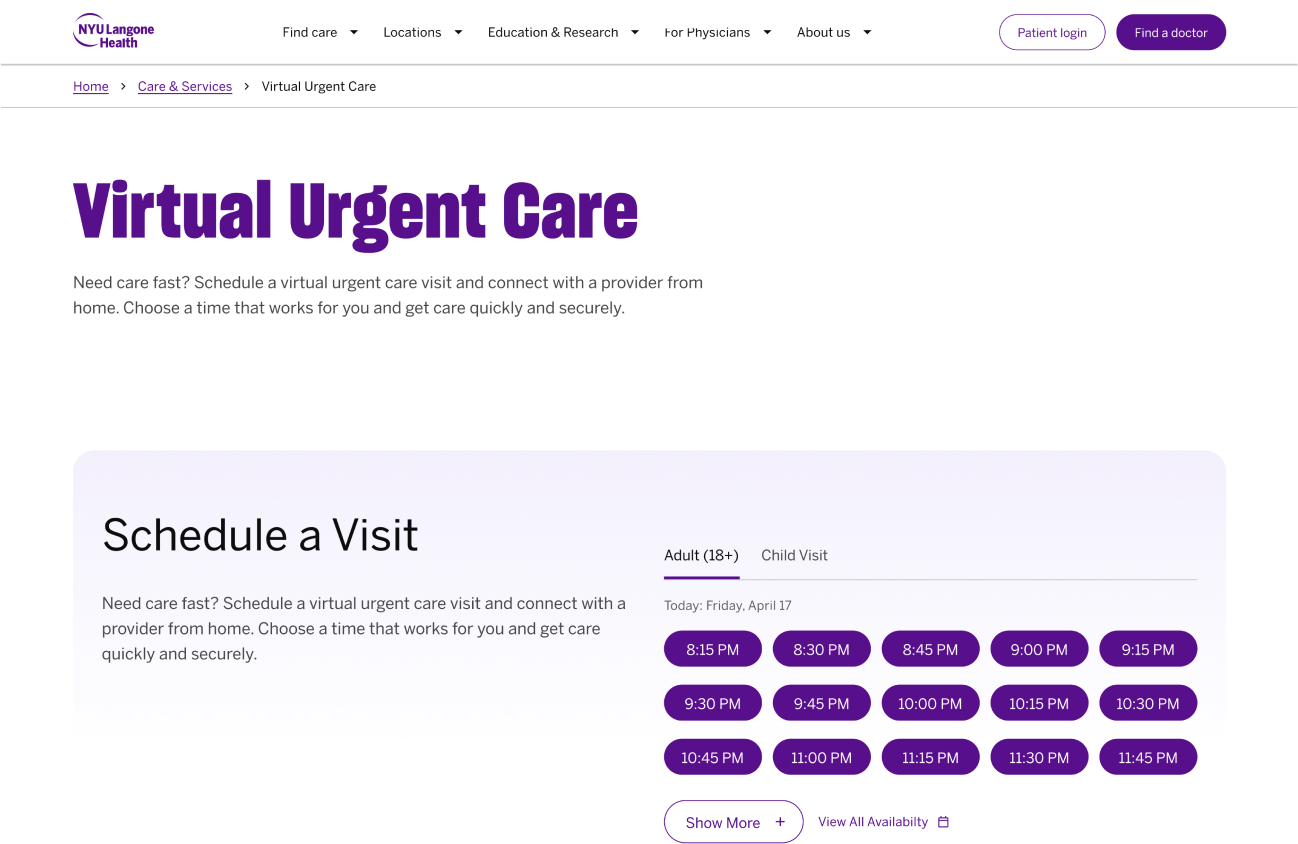
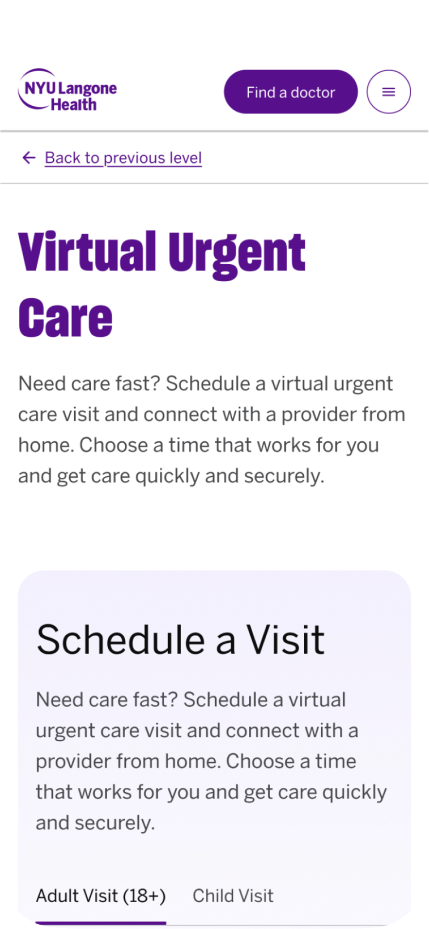
NYU Langone's Virtual Urgent Care (VUC) scheduling page was one of hundreds redesigned as part of a full website reskin. As a short-term contractor on the large team of both in house and external agency members, I was tasked with building components that could scale past this project. These screens and components are reusable across the site and easy for the team to maintain.
This page carried real stakes: patients using VUC often need care quickly, so usability and data, not opinion, drove every decision.
ROLE
Lead UX Designer
TEAM
20+ Internal and External Agency Team Members
Design, Engineering, Content
TIMELINE
2 Weeks (Summer 2026)
TOOLS
Figma, Github, Webex, Analytics
Goals
- Utilize and maintain design system.
- Improve usability of VUC Scheduling
- Create designs that can be approved rapidly amidst turnover and team restructure.
Friction in the Existing Experience

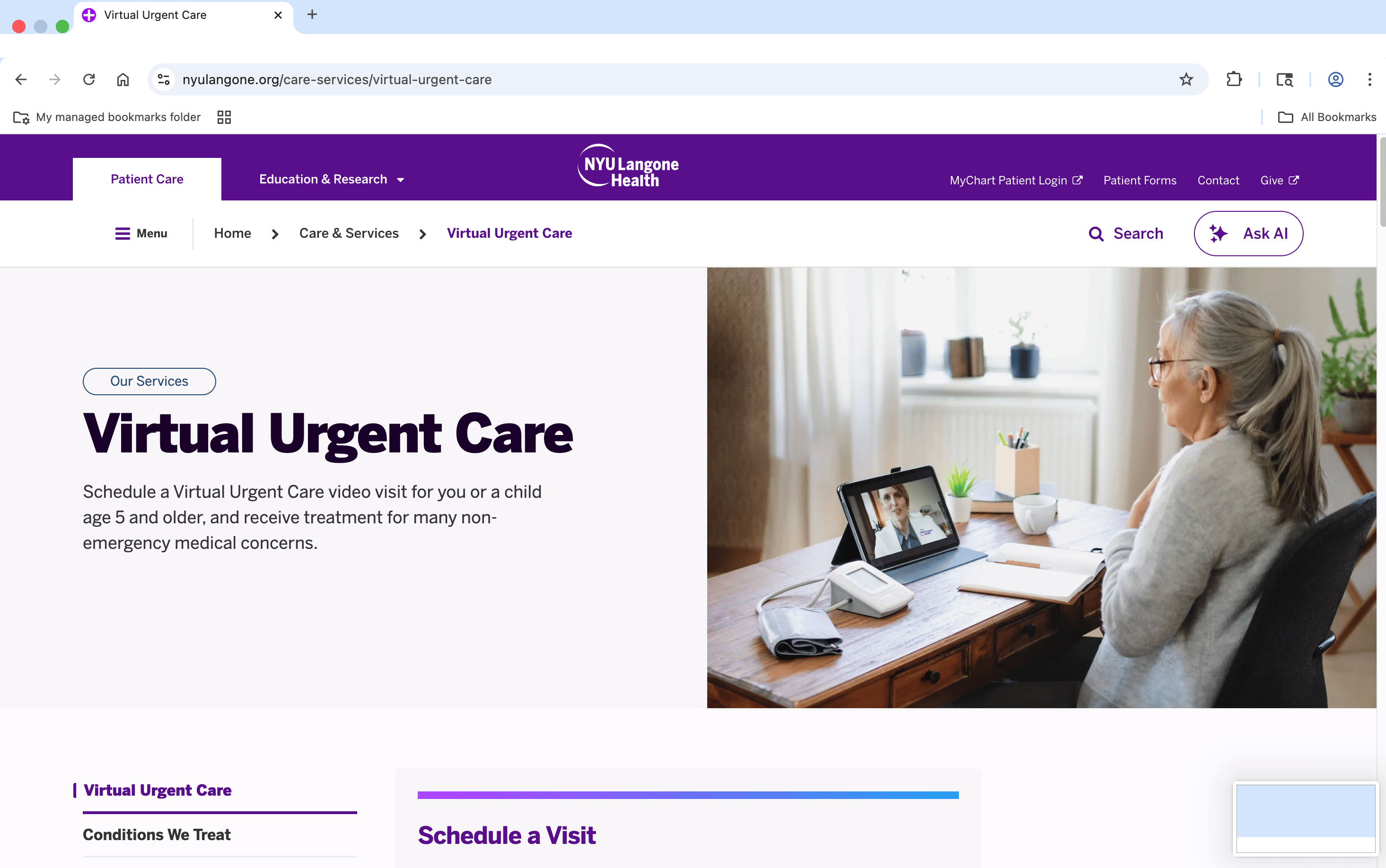
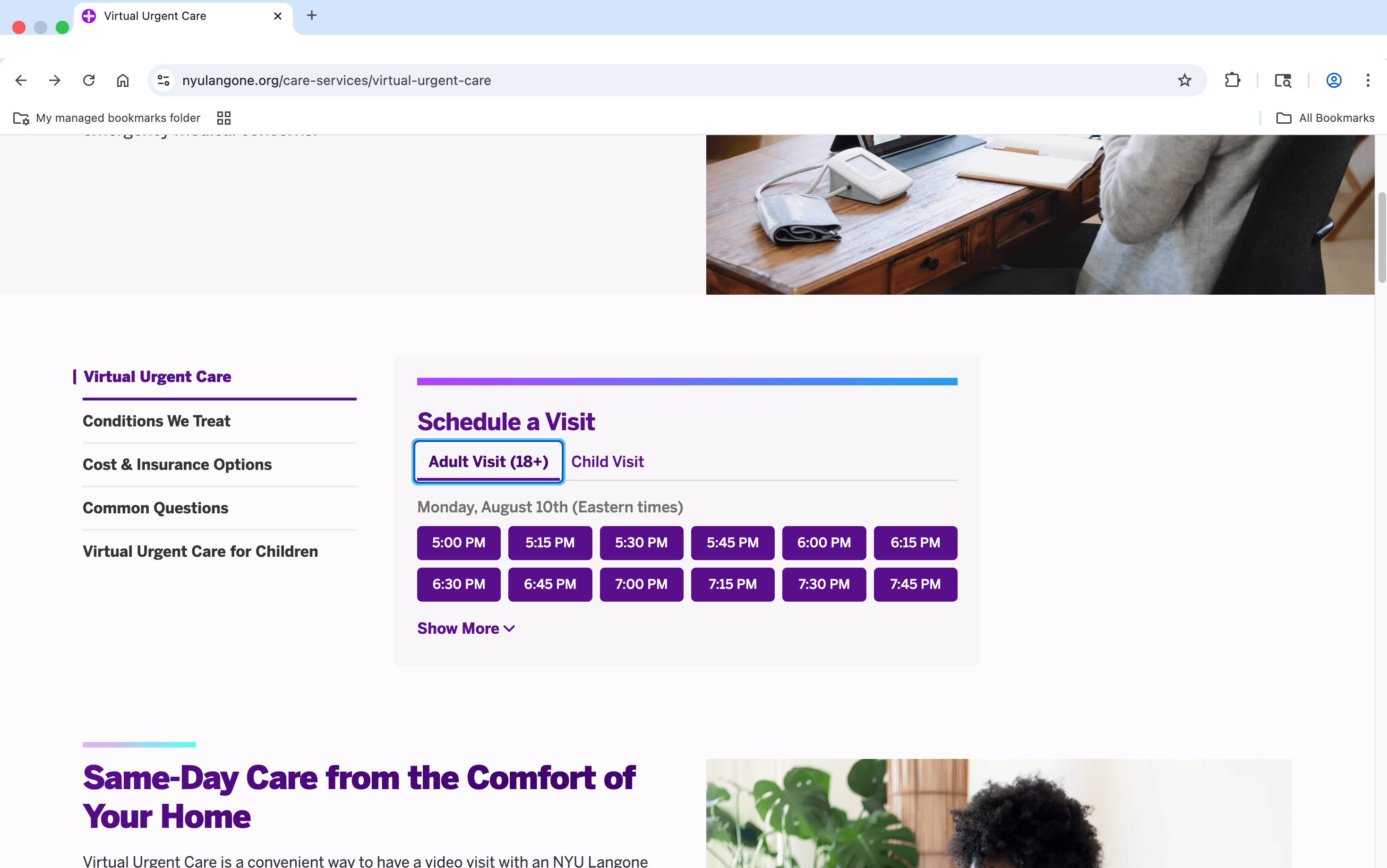
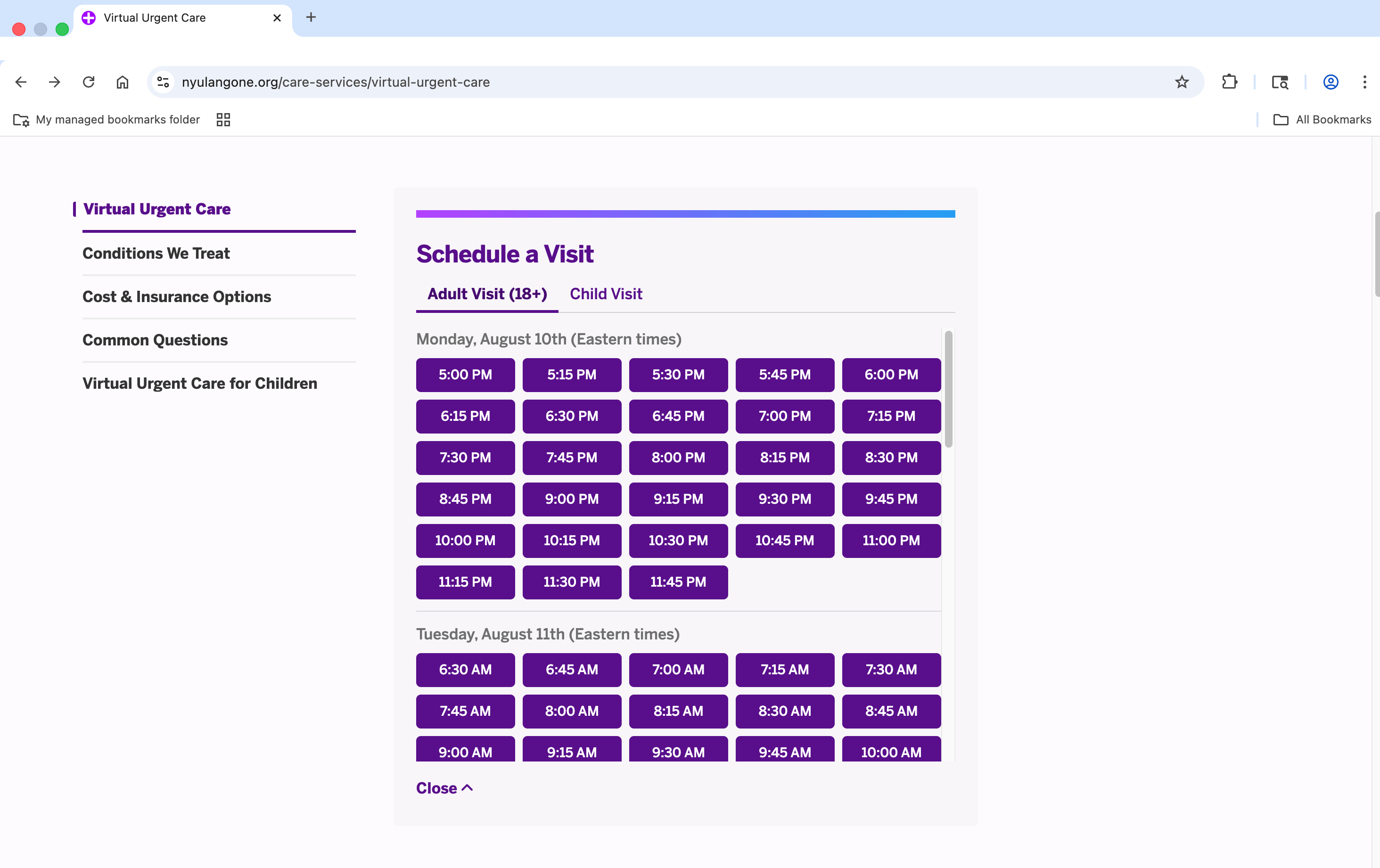

Critical Pain Points

Lacks visibility of all available appointments
Nested scrolling makes content frustrating to navigate.
A bulky hero image pushes key content below the fold on desktop.
Foundations: Leveraging the Existing Design System
Foundation
Standard design system buttons
star
Label
star
Label
star
star
Label
star
Label
star



star
Label
star
Label
star
star
Label
star
Label
star
star
Label
star
Label
star
star
star
star
star


star
Primary brand tokens
Time Slot Chip Component
Time-slot chip
Design specs for the new component are based on button/default/primary/label+binary/medium styling with the same state variants.
This time-slot-chip component differs in that it:
•
Contains no icons, only label
•
Has no minimum width
•
Should always be set to fill
•
This chip component also has one additional state, spacer, for maintaining consistent sizing in parent containers. Spacer follows same size conventions but is invisible and has no actions.
Hitting a Wall with Legacy Components
Challenge
During implementation design spikes, we found the adult/child tab component was several versions behind the current design system. As a team we deliberated and I presented three popssible solutions:
A: SYSTEM COMPONENT UPDATE
Modernize the deprecated tab component for use as a subpage toggle.
Pros: Creates a reusable, system-supported pattern and reduces future technical debt.
Cons: Higher upfront effort and may not be broadly needed.
Adult Visit (18+)
Child Visit
B: CUSTOM TOGGLE
Build custom toggle for this use case.
Pros: Avoids reworking deprecated components; could become a reusable system pattern.
Cons: Adds design/development effort and competes visually with date-picker chips.
Adult Visit (18+)
Child Visit
Adult Visit (18+)
Child Visit
Adult Visit (18+)
Child Visit
Adult Visit (18+)
Child Visit
C: LINK BELOW THE FOLD
Move the child-visit entry point lower on the page.
Pros: Low cost and simplest to implement; avoids introducing a new component.
Cons: Reduces visibility and adds friction for users seeking urgent pediatric care.
How I Let Data Decide
We analyzed analytics data on child versus adult visits to determine usability and priority, given our limited time for original testing.
4%
3378 out of 95457 appointments were pediatric
.57%
55 of 9603 clicked the child visit tab
70%
39 of 55 users who clicked the child visit tab returned to the adult visit tab.
.94%
532 users navigated to CHILD VUC page
56,594 users navigated to VUC pag
Takeaways
With pediatric visits making up 4% of appointments and less than 1% of users reaching the pediatric page, we chose not to introduce a new toggle that could compete with the priority date picker.
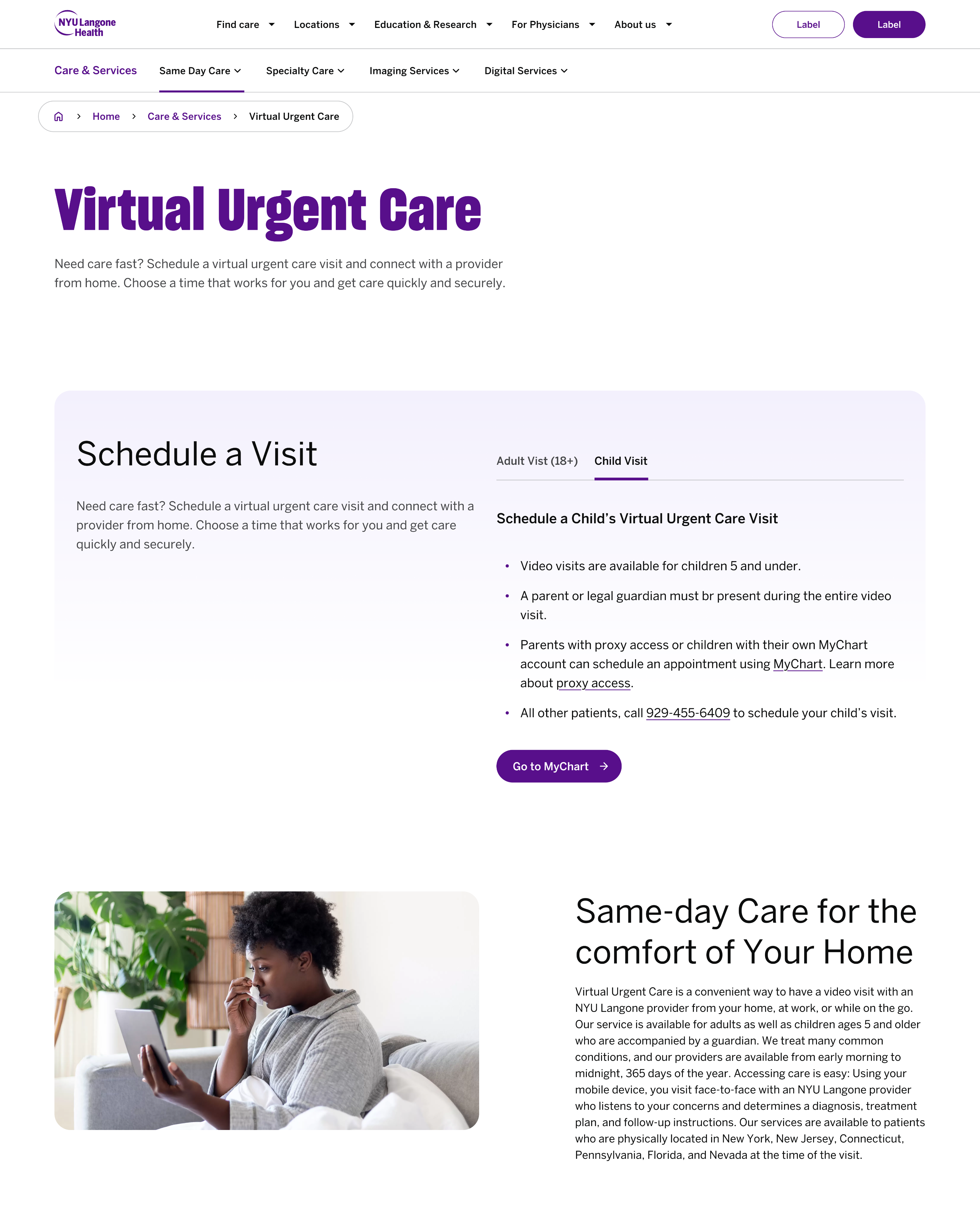
We kept the existing Adult Visit / Child Visit tabs to maintain a clear path for pediatric users rather than moving the link further down the page, which could create friction in urgent use cases.
This minimized rework, cost, and time.
Solution:
Updated tab component
Design System & Component Updates
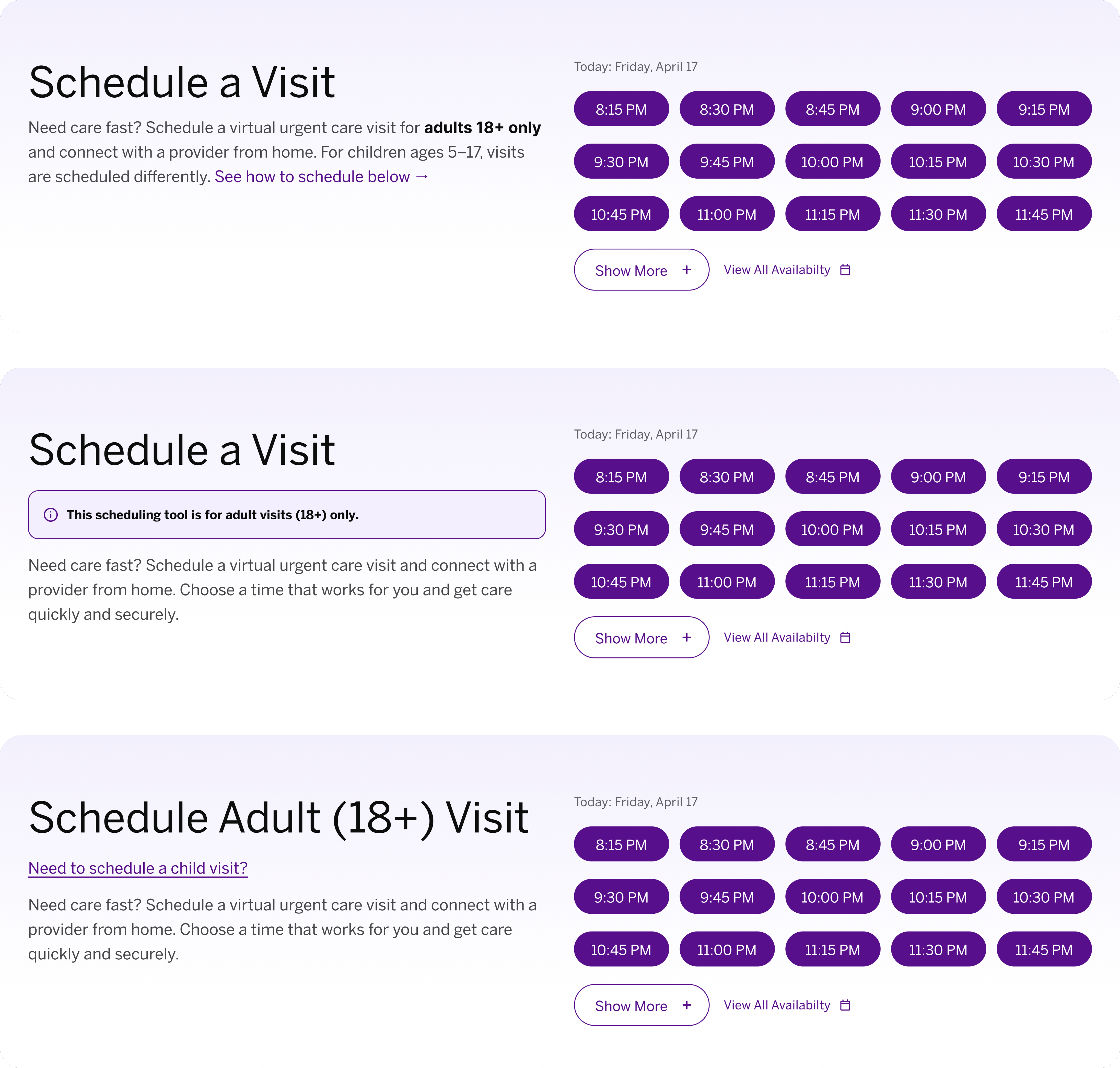
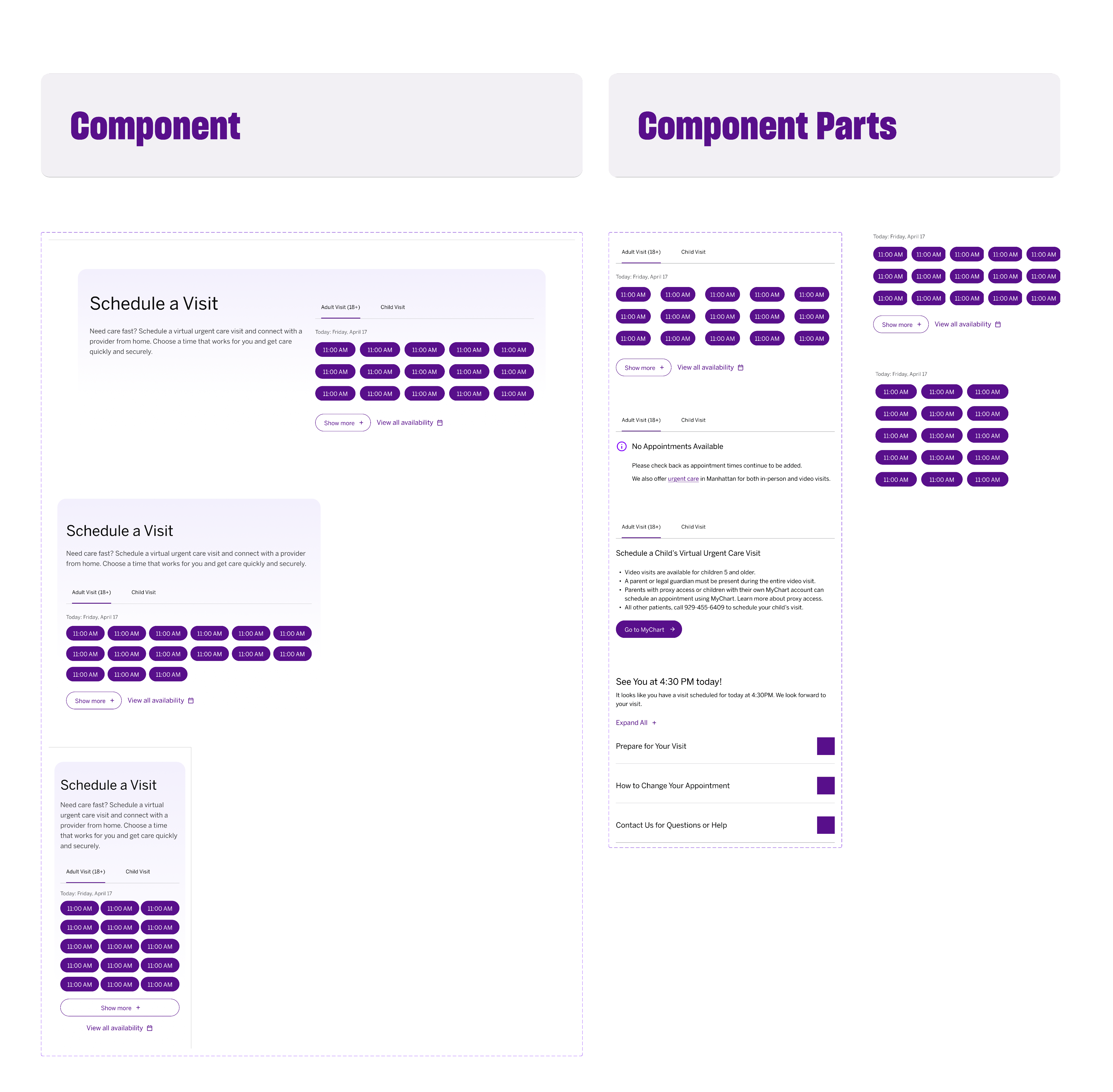
This highlight of the scheduling widget in our design system illustrates our approach to organizing components and their relationships in a highly technical, reusable, and developer-friendly manner. It ensures smooth handoffs, minimizes workload, and promotes long-term sustainability.
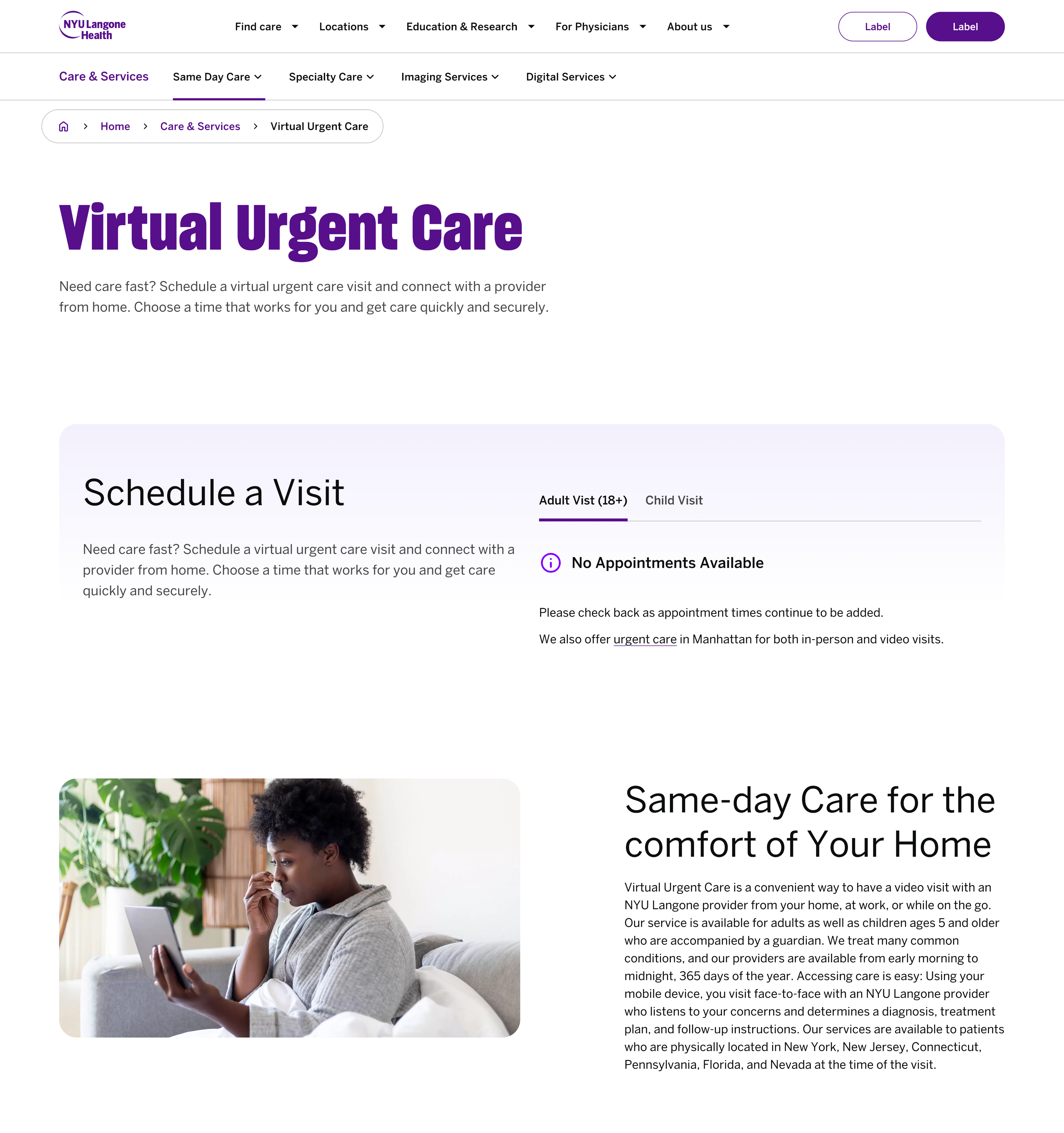
Final Design Visuals
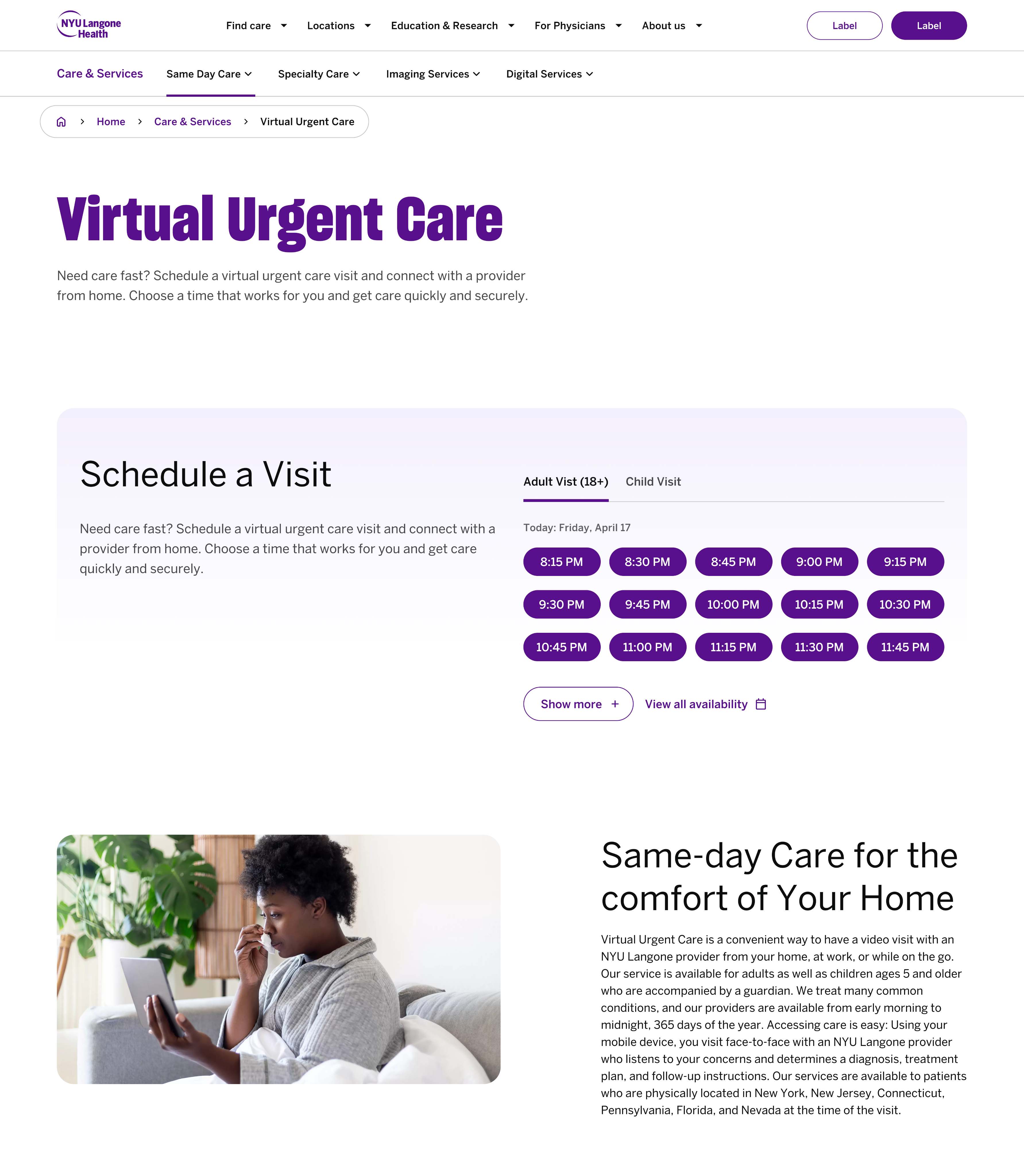
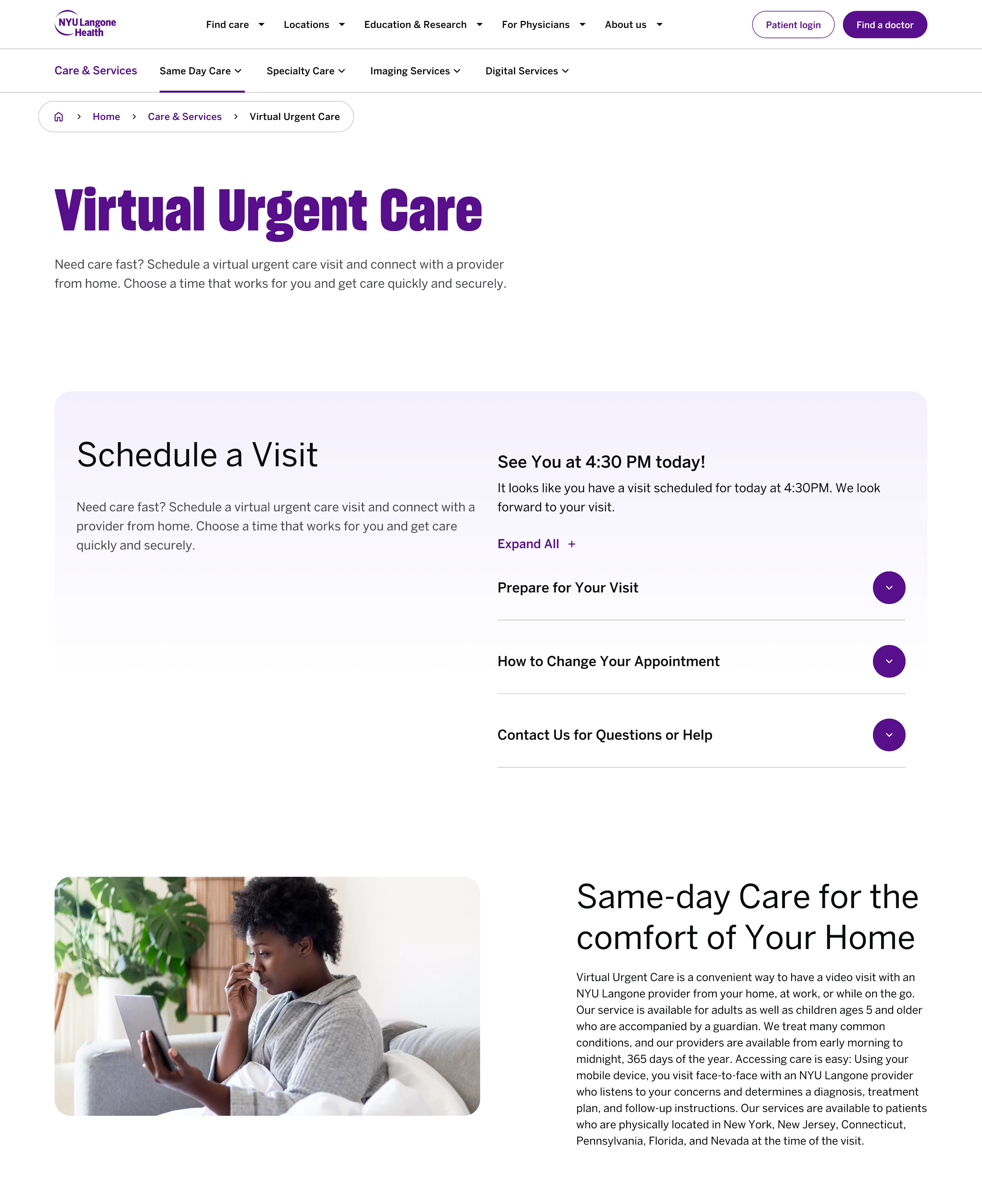
Desktop Flow
Mobile Responsive Flow






Impact
+12
New & Reusable Components
- Expands and maintains design system.
- Internal, external, and even new teams can easily utilize thanks to robust documentation.
- Reduced developers' workload with clear specs and designs tailored for HTML.
3
Improved UX Patterns
- Priority content now above the fold.
- Removed nested scroll.
- Added See All Availability in addition to View More button, giving users enhanced control.
3+
Accomplished Project Goals
- Delivered on time (2 week sprint).
- VUC Scheduling Reskin Done - this is a high priority page.
- Designs, layouts, and components can now be reused across hundreds of other pages, adding value long after my contract ends.
Reflection & Next Steps
This work focused on aligning the Virtual Urgent Care scheduling experience with the current design system while preserving a clear path for pediatric users. The redesign consolidated date selection and time-slot presentation into a cleaner, more scalable pattern built from reusable components.
The updated experience is not yet live. Before launch, the next priorities include validating the flow with real users, confirming implementation parity across breakpoints, and completing accessibility review—especially for keyboard and screen-reader navigation in dense scheduling states.
Next Case Study